Optoma HCPro-4400 vs Optoma HCPro-5400
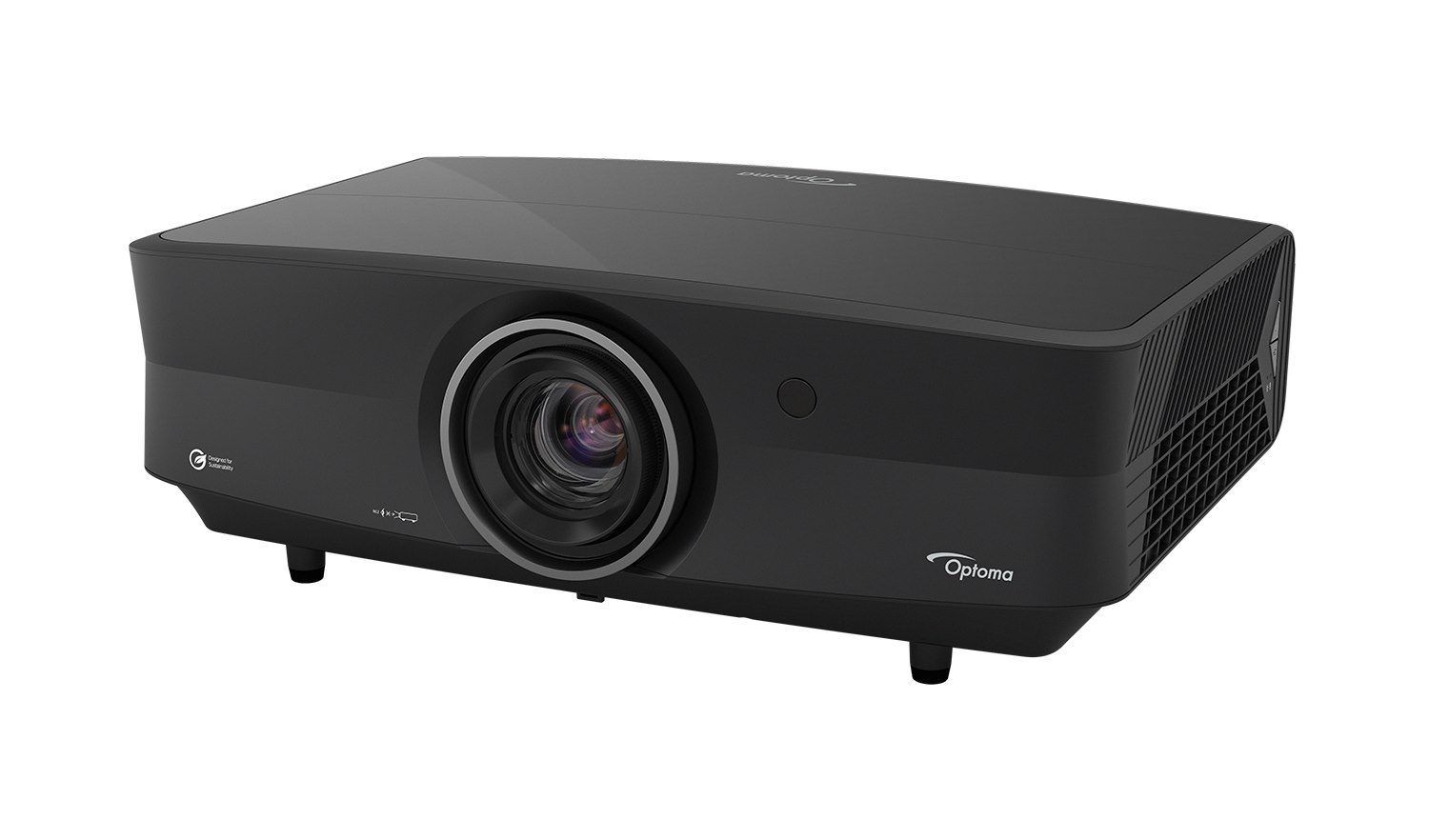 Optoma HCPro-4400 Optoma HCPro-4400 |  | |
|---|---|---|
| Key differences | ||
| Throw ratio | 1.2–1.92:1 | 1.25–2:1 |
| Lowest input lag | 8.4 msDerived | 8.5 msDerived |
| Light source | Laser (phosphor) | RGB triple laser |
| Fan noise | Max 31 dB(A) · Eco 25 dB(A) | Max 28 dB(A) · Eco 25 dB(A) |
| Room fit | ||
| Distance to screen | 2.7–4.3 m | 2.8–4.4 m |
| Brightness | ||
| Rated brightness | 5,000 lmDerived | 5,000 lmDerived |
| White light outputISO | 5,000 lm ISO | 5,000 lm ISO |
| Claimed brightness (non-standard) | — | 5,000 lm |
| Brightness uniformity | 85% | 95% |
| Display system | ||
| Imaging technology | DLP | DLP |
| Chip / panel diagonal | 0.65 in | 0.65 in |
| On-screen resolution | 4K UHD (3840 × 2160)Derived | 4K UHD (3840 × 2160)Derived |
| Native aspect | 16:9Derived | 16:9Derived |
| Addressable resolution | 4K UHD (3840 × 2160) | 4K UHD (3840 × 2160) |
| Contrast | ||
| Dynamic contrast | 3,200,000:1 | 4,500,000:1 |
| Colour | ||
| Colour gamut | Rec. 709 100% coverage · DCI-P3 95% coverage | Rec. 709 100% · DCI-P3 98% · BT.2020 96% |
| Colour bit depth (per channel) | — | 12 bit |
| Gamma / EOTF presets | — | 2.2, 2.4, BT.1886 |
| HDR | ||
| HDR formats | HDR10, HDR10+, HLG, Dolby Vision | HDR10, HDR10+, HLG, Dolby Vision |
| Calibration | ||
| Colour management (CMS) | — | 6-axis |
| Greyscale control points | 11 | 11 |
| Picture certifications | Filmmaker Mode | + ISF, + IMAX Enhanced, Filmmaker Mode |
| 3D | ||
| 3D | Yes | Yes |
| 3D formats | Frame packing, Side-by-side, Top-bottom, Frame sequential | — |
| 3D glasses sync | — | DLP-Link |
| Light source | ||
| Light source | Laser (phosphor) | RGB triple laser |
| Emitter | Blue + red laser | RGB triple laser |
| Light-source life | 30,000 h eco | 30,000 h eco |
| Cool-down time | — | 90 s |
| Optics | ||
| Throw ratio | 1.2–1.92:1 | 1.25–2:1 |
| Image size | 30.6–301 in | 80–300 in |
| Projection offset | 126% | 50% |
| Zoom | Optical | Optical |
| Zoom ratio | 1.6×Derived | 1.6×Derived |
| Focal length | 17.63–27.9 mm | 18.72–29.59 mm |
| Aperture (f-number) | 2.3–2.8 | 3–3.1 |
| Focus | Manual | Motorised |
| Vertical lens shift | -106–126% | ±55% |
| Horizontal lens shift | ±10% | ±25% |
| Motorised lens shift | No | Yes |
| Vertical keystone | 30° | 30° |
| Horizontal keystone | 30° | 30° |
| Corner correction | 4-corner | 4-corner |
| Grid warp | Yes | Yes |
| Motion & gaming | ||
| Frame interpolation (MEMC) | Yes | Yes |
| Max input refresh | 1080p: 240 Hz · 4K UHD: 120 Hz | 1080p: 240 Hz · 4K UHD: 120 Hz |
| Max refresh at 1080p | 240 HzDerived | 240 HzDerived |
| Max refresh at 4K | 120 HzDerived | 120 HzDerived |
| Input lag | 1080p: 60 Hz 20 ms · 120 Hz 12.5 ms · 240 Hz 8.4 ms · 4K UHD: 60 Hz 20 ms | 1080p: 60 Hz 20 ms · 120 Hz 12.5 ms · 240 Hz 8.5 ms · 4K UHD: 60 Hz 20 ms |
| Lowest input lag | 8.4 msDerived | 8.5 msDerived |
| Input lag at 4K 60 Hz | 20 msDerived | 20 msDerived |
| Gaming features | ALLM | ALLM |
| Inputs & control | ||
| HDMI inputs | 2 × HDMI 2.0 · HDMI 2.1 | HDMI 2.1 (eARC) · HDMI 2.0 (eARC) · HDMI 2.0 |
| HDMI inputs (count) | 3Derived | 3Derived |
| Newest HDMI version | HDMI 2.1Derived | HDMI 2.1Derived |
| Max input resolution | 4K UHD | 4K UHD |
| USB media playback | Yes | — |
| Control ports | RS-232, 12 V trigger | RS-232, 12 V trigger |
| PJLink | Class 2 | Class 2 |
| Control-system drivers | Crestron, AMX | + Control4, Crestron, AMX |
| Horizontal scan | 15–255 kHz | 15–255 kHz |
| Vertical scan | 24–240 Hz | 24–240 Hz |
| Smart platform | ||
| Ethernet | Yes | Yes |
| Audio | ||
| Speaker power | 10 W | — |
| Speakers | 2 | 0 |
| Audio formats | — | Dolby Atmos |
| Audio outputs | 3.5 mm, + HDMI ARC, HDMI eARC | 3.5 mm, HDMI eARC |
| HDMI audio return | eARCDerived | eARCDerived |
| Physical & installation | ||
| Dimensions (W × D × H) | 498 × 331 × 171 mm | 486 × 433 × 186 mm |
| Weight | About 8,900 g | 11,500 g |
| Orientations | Table, Ceiling, Rear, + 360° | Table, Ceiling, Rear |
| Ceiling mount | M6, screws ≥ 10 mm | — |
| Environment & power | ||
| Operating temperature | 0–40°C | 0–40°C |
| Operating humidity | 10–80%RH | 10–80%RH |
| Altitude | 3,048 m · high-altitude mode | 3,048 m |
| Power draw | Max 345 W · Eco 190 W | Max 323 W · Normal 281 W · Eco 149 W |
| Standby | Up to 0.5 W | 0.5 W |
| Power supply | — | Built in |
| Mains input | 100–240 V · 50/60 Hz | 100–240 V · 50/60 Hz |
| Noise | ||
| Fan noise | Max 31 dB(A) · Eco 25 dB(A) | Max 28 dB(A) · Eco 25 dB(A) |
| Safety & compliance | ||
| Laser class | Class 1 | Class 1 |
| Risk group | RG2 | RG2 |
| Marks | FCC | FCC |
| Support & ownership | ||
| Warranty | 3 yr (light source 5 yr or 12,000 h) | 3 yr |
| User manual | https://region-resource.optoma.com/products/documents/y64Basc8X3La8MFdFfaADuKuvhApnIfEQuBeCQdl.pdf | https://region-resource.optoma.com/products/documents/6SqcrFAyyh0aNbHYDWovJEU3U1k6dX8DTirxB9KE.pdf |
| In the box | ||
| In the box | Power cord, Remote, Remote batteries, Quick start guide | Power cord, Remote, Remote batteries, Quick start guide |
| Remote | Backlit | Backlit |